Give access to all retirees to an event
Homepage of the Eligibility Framework.
It is possible via Indico to give access to all retirees to DG speeches, webcasts from the Pension Fund or from the Staff Association.
1. Via Indico
The owner of the event must apply the following steps either to the main category of the event or to the event itself:
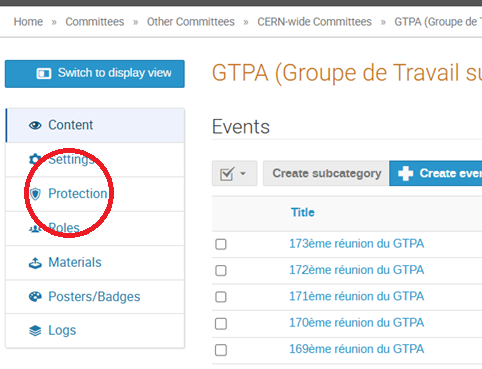
1.1 Go to the settings of the event

1.2 Open the menu “Protection”
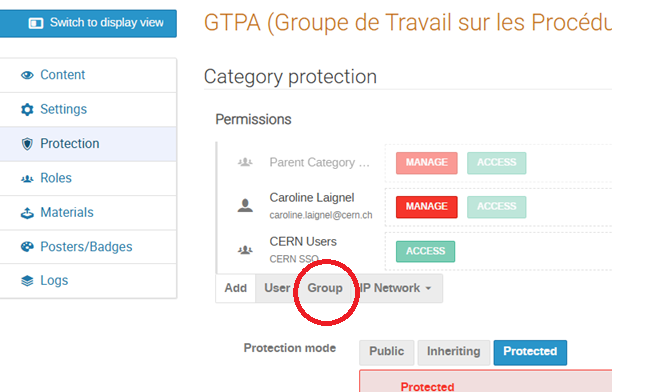
1.3 Click on “Group”
1.4 Search for the e-groups eligibility-retr-actual@cern.ch and select it
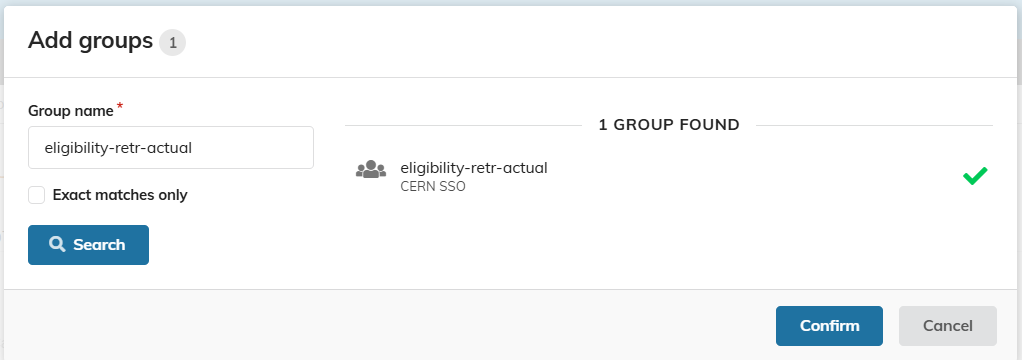
and save your change.
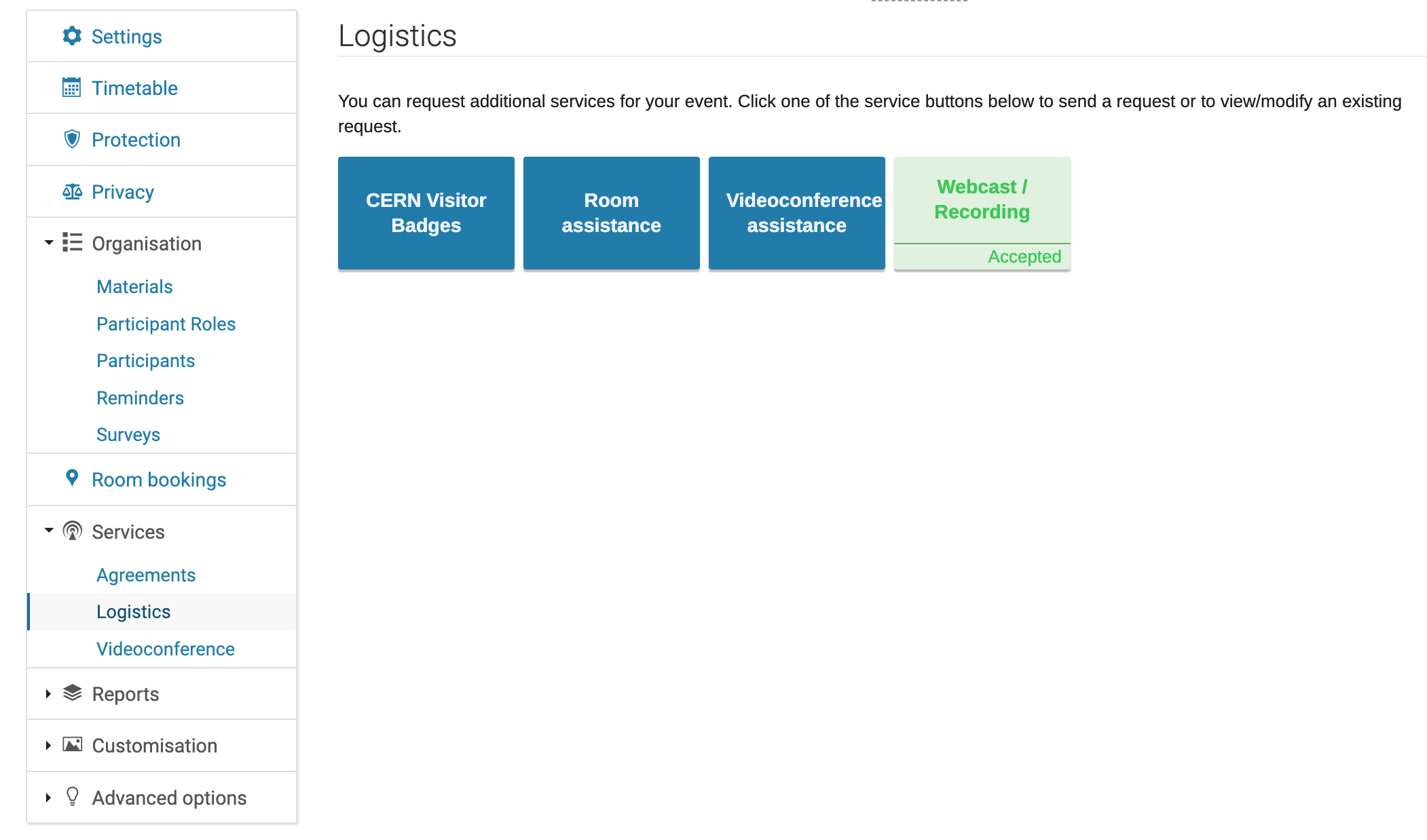
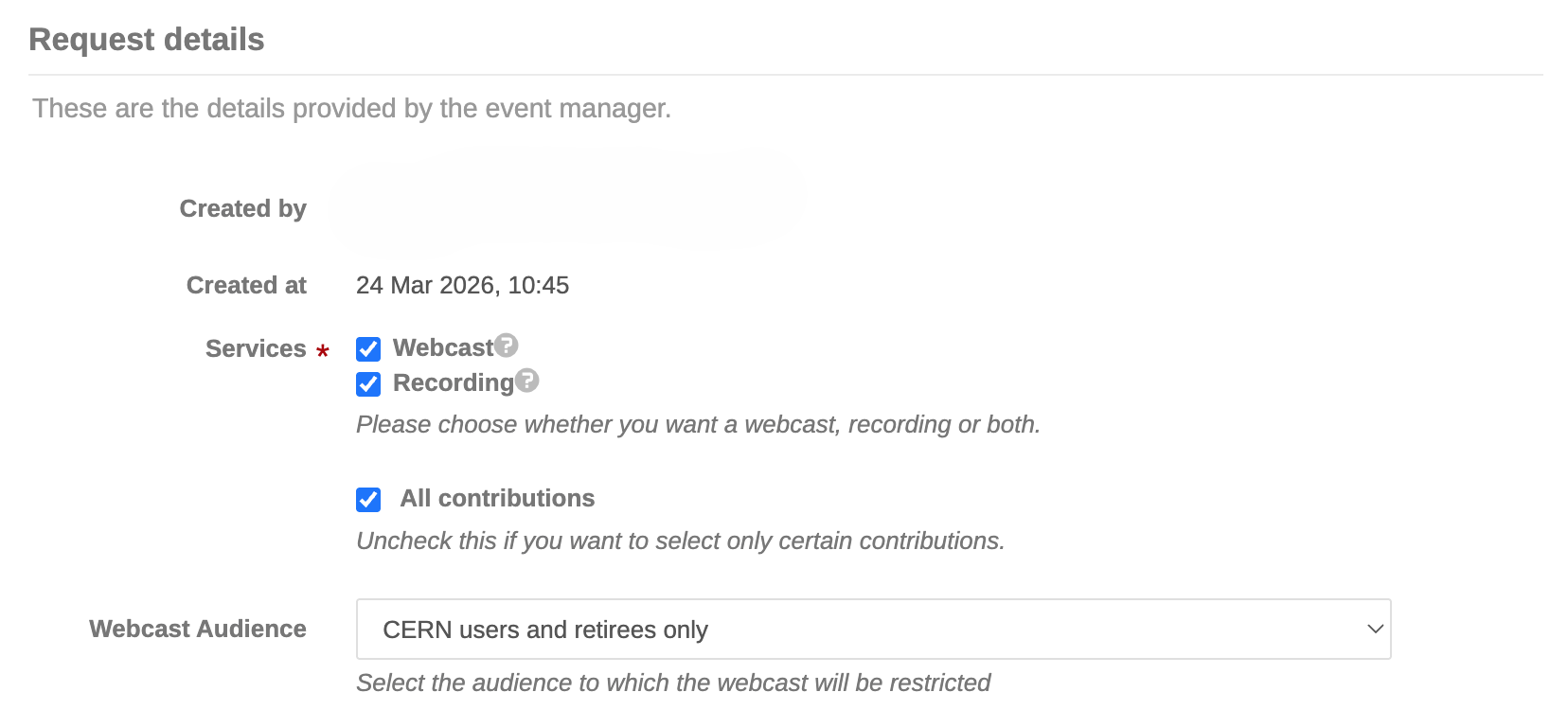
2. To access to Webcast
Always via Indico, you can access to Webcast via the menu “Logistics” and define the requested permissions:
Contact Information
For questions or assistance, please refer to our team at Eligibility-Framework-Coordination@cern.ch.